Pick a game, play it
Search every system’s games with your filters and favourites, see the pictures, buttons and history of each arcade game, and press Play: it opens on the tube.
web panel
The cabinet has a web page of its own at http://fliperos.local. Nothing to install on the phone, the tablet or the PC.
Download(opens on GitHub)Search the library from the phone or the PC, open the game’s sheet and press Play. The cabinet closes what is on the screen and opens the game on the tube.
The Frontend page draws the cabinet with the game on the tube, the video mode it is running and the stick and buttons lighting up while you press them.
The Live page streams the tube to any browser, with sound, at 60 fps. The game on the CRT is the one in the page, and the delay stays in the milliseconds.
Saturation, gamma, black level and hue change the picture on the tube as you slide them, and the value is saved by itself.
A temporary internet address for the web panel, so someone can help you from anywhere. The address carries a key, opens a session with a terminal and ends after 4 hours, at power off or when you turn it off.
Pick Light for a weak Wi-Fi up to Maximum for a network cable. If the capture fails, the panel says why within a second and offers to try again. On a phone the picture stays 4:3.
web panel
Open the cabinet’s address in any browser on your network, on a phone, a tablet or a PC, and sign in. Nothing to install. Pick a game and it starts on the tube, watch the cabinet live, change the colour while you play, copy games and check what the system is doing.
Open in the browser:http://fliperos.local
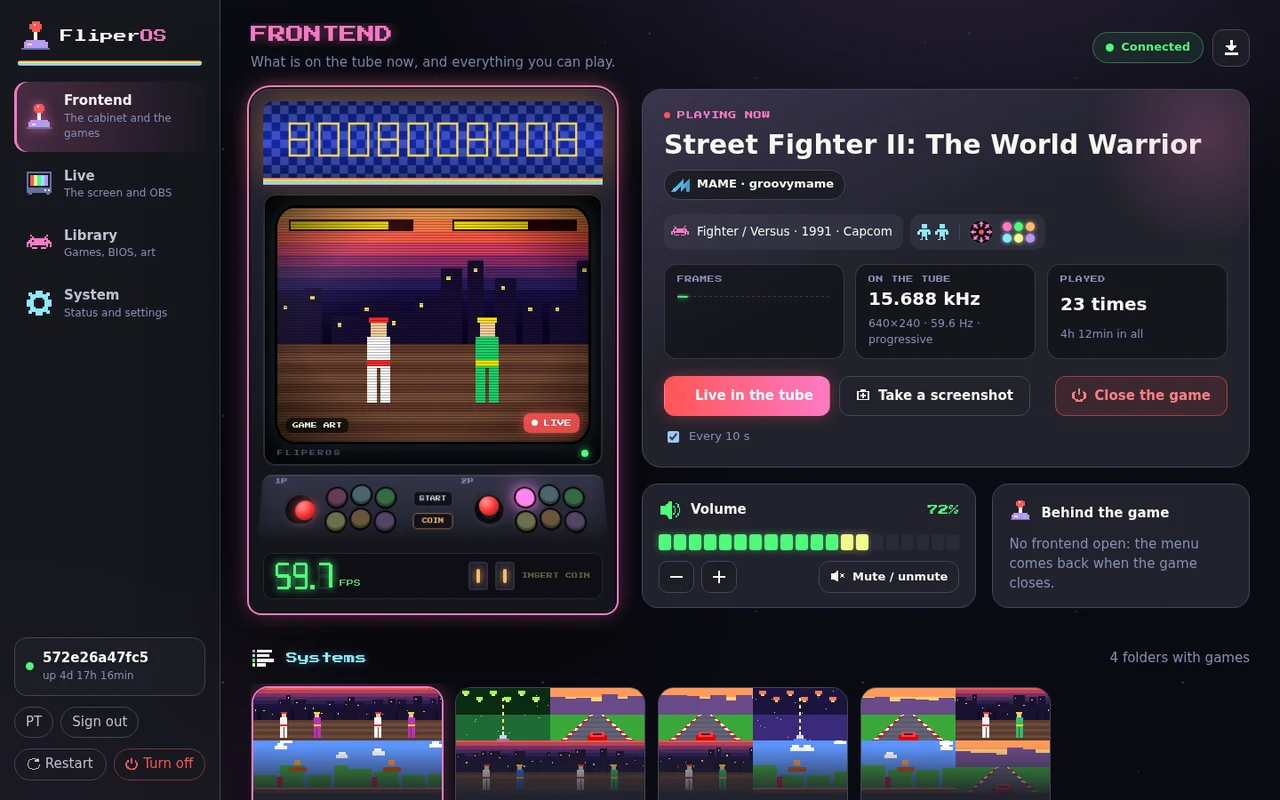
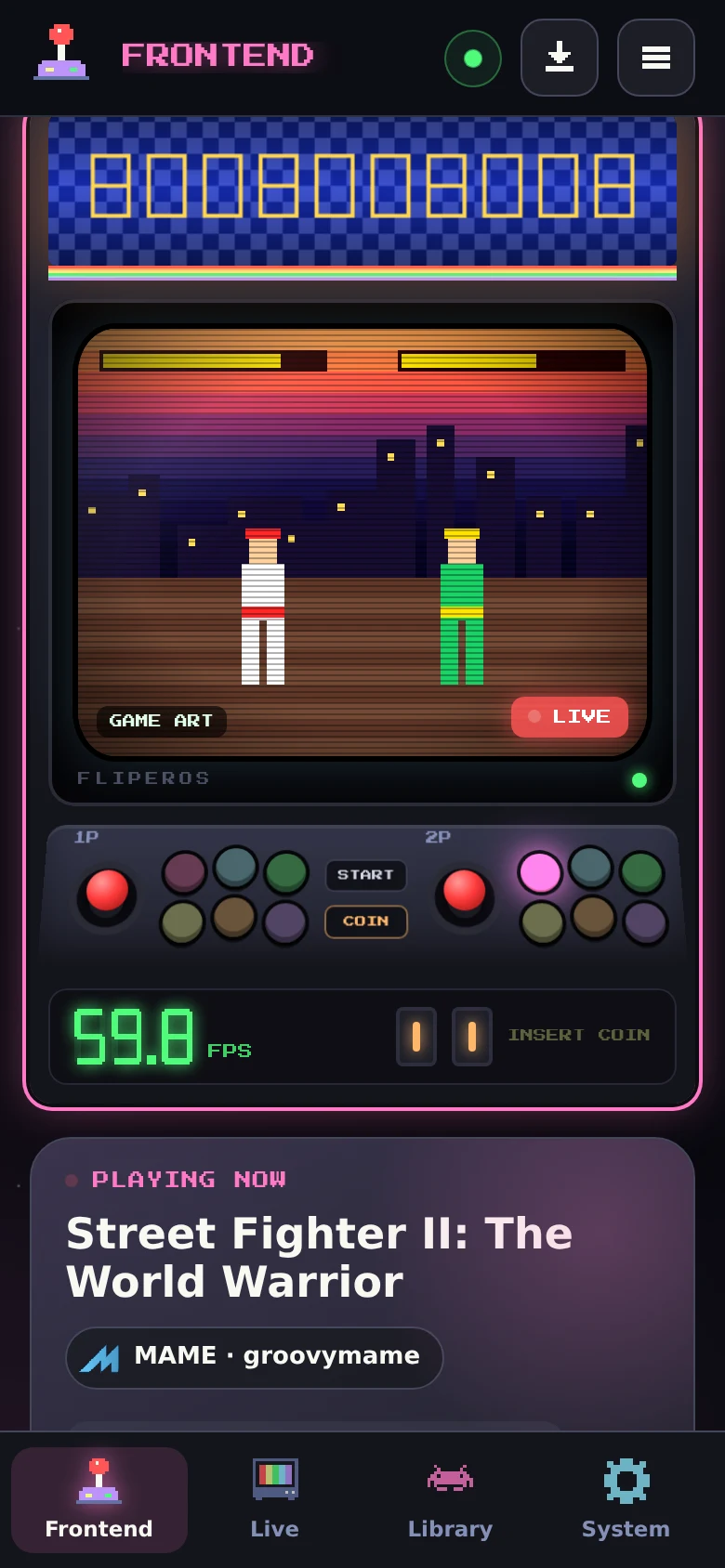
Search every system’s games with your filters and favourites, see the pictures, buttons and history of each arcade game, and press Play: it opens on the tube.
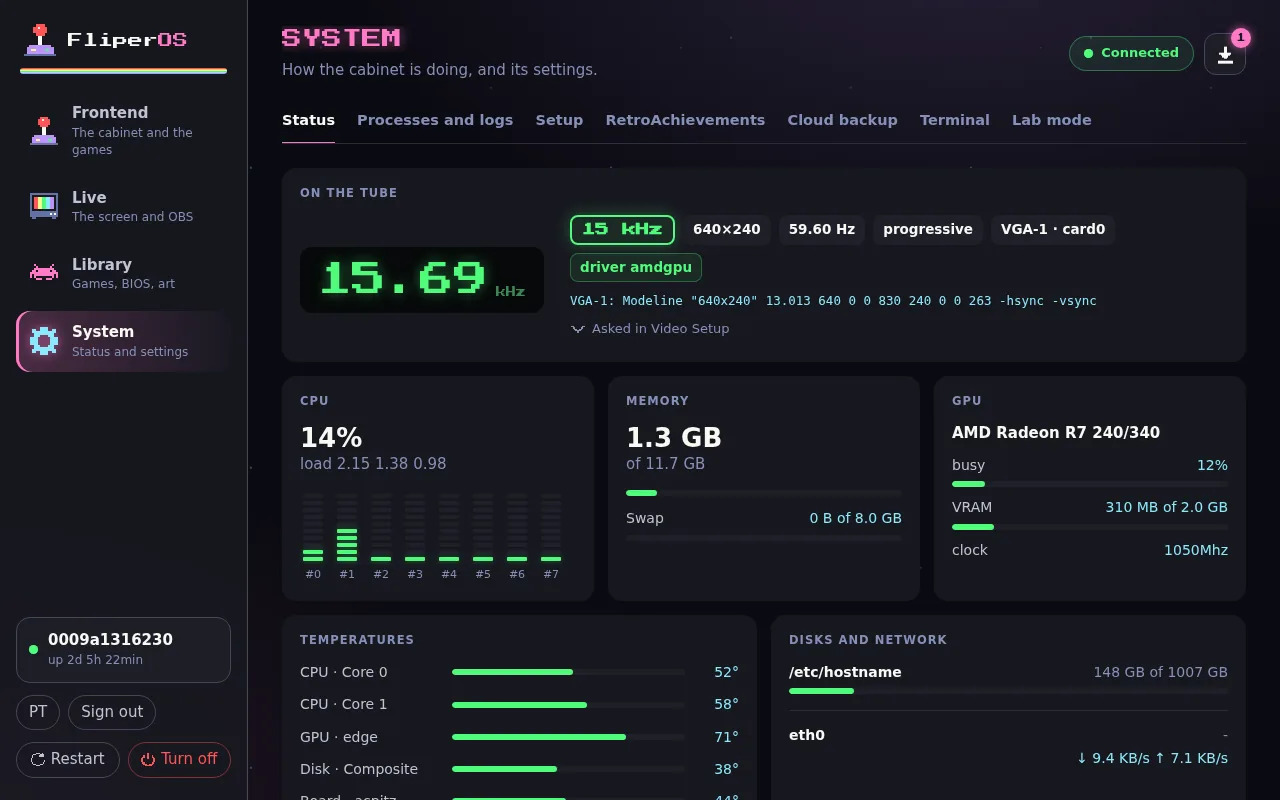
The cabinet’s screen in the browser at 15, 30 or 60 frames per second, plus the FPS of the game and a screenshot of the tube.
Addresses for an OBS Browser Source: the live screen in 4:3 with sound, the marquee of the game being played, with high scores and versus scores, and your controller lighting up on screen.
Colour sliders that change the game on screen as you move them, Interlaced hacks per emulator, services, latency mode and volume.
Upload and download games, BIOS, artwork and splash screens, with progress, straight to the right folder.
Filter a MAME romset for your cabinet’s controls and screen, download only the games that pass and the BIOS they lack, scrape their art with your site login typed on a real keyboard, and install or update emulators.
The video mode and modeline on the tube, CPU, GPU, temperatures, memory, disks, network, processes and logs.
The cabinet’s shell in a browser tab, the same as SSH, with no program to install.
New in 0.13
The stick and the buttons light up on your stream while you press them on the cabinet, like the input displays of fighting game streams. Viewers see every motion and every button. Copy the address from the Live page, paste it in an OBS Browser Source, and it sits over the game with a transparent background.
It reads the controls of Button mapping: joysticks, Xbox-style panels and keyboard encoders, for one or two players. No extra program.
A CSS editor with syntax colours and a live preview, a Format button and a demo that presses the buttons by itself.
Save, and the page open in OBS takes the new look at once, mid-stream, without refreshing the source.