fliperos 0.29 · in development
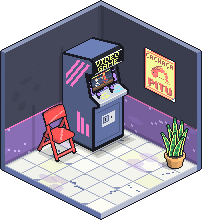
Arcade Linux.Built for CRT.
FliperOS is an Ubuntu-based Linux distribution built to turn PCs into arcade machines, with native CRT, 15 kHz and Switchres support, emulators and frontends ready to play.
- Ubuntu 24.04
- Kernel 6.18 LTS
- Limine
- 15 kHz
- Switchres
- CRT Ready
- AMD · NVIDIA · Intel
- DP/HDMI to VGA
- ATOM-15 firmware
- GroovyMAME
- HBGroovyMAME (HBMAME + Switchres)
- RetroArch
- Flycast
- Keisho
- PCSX2
- PCSX2x6 (Namco System 246, System 256)
- Dolphin (GameCube, Wii, Triforce)
- DuckStation
- Hypseus Singe
- OpenBOR
- Odin (Sega Hikaru, Gaelco 3D)
- FliperOS frontend
- Attract-Mode Plus
- ES-DE
- Fightcade 2
- Linked cabinets
- Party play (LAN)
- Web panel
- Live + OBS
- On-screen menu
- Interlaced filter
- Scanlines 31 kHz
- Colour calibration
- Vertical monitor
- Multi-monitor
- Low latency
- Vulkan
- GunCon 2
- Hook Of The Reaper
- LEDSpicer
- Pixelcade
- ZeDMD
- ROM filter
- Download BIOS
- Scraper
- Samba + SSH
- Commercial mode
- Lab mode
- OTA updates
- Open Source





















how it works
From the USB stick to the game, on the tube itself.
No LCD in the way: the stick already boots at 15 kHz.
 Install from the tubePick the monitor and the disk; the rest is a progress bar on the CRT.Install & updates
 Map the panel oncePress each button when it asks, and the mapping goes to every emulator.Controls & light gun
 Filter and downloadOnly the games your panel can play, and the BIOS they need.ROMs & downloads
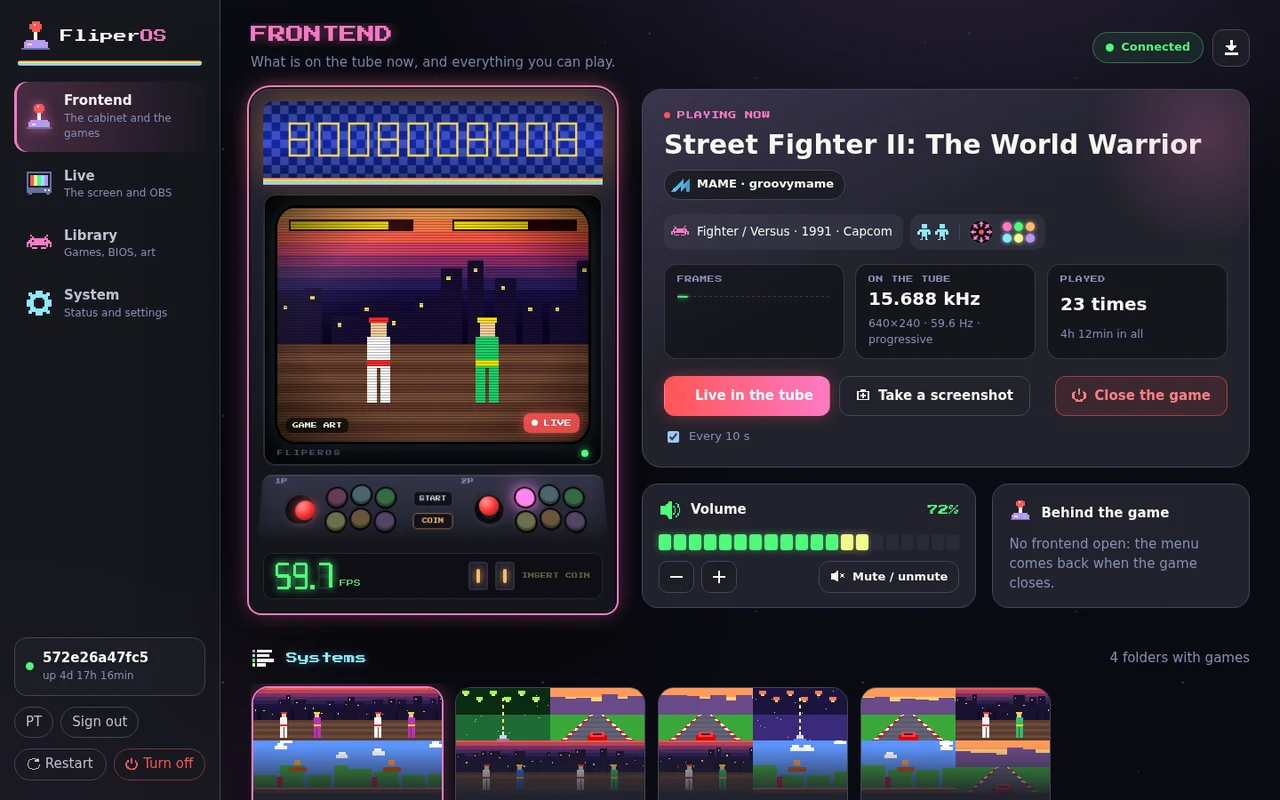
 PlayList, full screen or grid, each game with its own video.Frontend
highlights
More than a game menu.
what’s new
What changed in the latest versions.
- 0.29CurrentNov 25, 2026
- Sega Chihiro (Virtua Cop 3 and more) with the xemu emulator, installed when you open the first game and prepared from the game disc
- A Setup at 240p on the desktop, a screen that scrolls with the controller pointer and a double click that installs a custom game
- Dolphin 2609b, RAHasher 1.8.5 and the boot splash fixed on 31 kHz monitors
- 0.28Nov 21, 2026
- HBGroovyMAME, Odin (Sega Hikaru and Gaelco 3D) and OpenBOR in RetroArch install themselves when you open their first game
- Map controllers with eight player slots and a live tester for every pad
- A full screen with a wheel of logos, clones grouped in a dialog, and media capture in the on-screen menu
- 0.27Nov 19, 2026
- Menu and frontend sounds, with a file and a volume for each, and music with a now-playing bar
- Folder shortcuts, external disks and Batocera filesystems
- A Games page with editing for custom games, and animated menus in the Setup and the frontend
- 0.26Nov 18, 2026
- One disk for everything: a second or external disk holds the ROMs, saves and art
- Keisho runs Model 2 and Model 3
- A smoother frontend, and the whole hardware in the web panel
- 0.25Nov 17, 2026
- Custom games: Windows and PC games packed in one file
- Install, create and test packages from the web panel
- A new wheel screen with pedals, buttons and force feedback
- 0.24Nov 9, 2026
- Bluetooth controllers, paired from the Setup
- Arcade panel or joypad in the Button mapping
- A guide with the buttons of ten consoles
- 0.23Nov 8, 2026
- CDs and DVDs from a drive, played or ripped
- Cartridges from the Open Source Cartridge Reader
- Boot straight from the disc
- 0.22Nov 7, 2026
- Party play for MAME games, in lockstep
- Flycast party in lockstep for up to 4 players
- A name for each cabinet
- 0.21Nov 5, 2026
- Namco System 246/256 games in PCSX2x6
- BIOS download from RetroBIOS
- Dolphin and RetroArch updated over the network
- 0.20Nov 4, 2026
- A picture on the R9 380 DVI-I from the installation on
- Scanlines for a 31 kHz monitor
- Light gun and net play in more emulators
- 0.19Nov 1, 2026
- Linked games from the frontend, over the network cable
- Net play with a player for each control
- Each resolution keeps its own geometry
- 0.18Oct 31, 2026
- On-screen menu over any game
- DisplayPort to VGA converters work from the menu to the game
- Animated logos on the ZeDMD and Pixelcade
- 0.16Oct 28, 2026
- Runs on Intel HD graphics
- New boot entry: Intel 15 kHz 240p
- A red X on what the card can’t run
video
Watch it run.
From the installation to the frontend, on a real tube, with the web panel on a tablet beside it.
- Installation and first boot
- Setup, filter and downloads
- Frontend and web panel
screenshots
A few more screens.
Real FliperOS captures at 320x240, the way the tube shows them. The animated ones are recorded straight from the system.
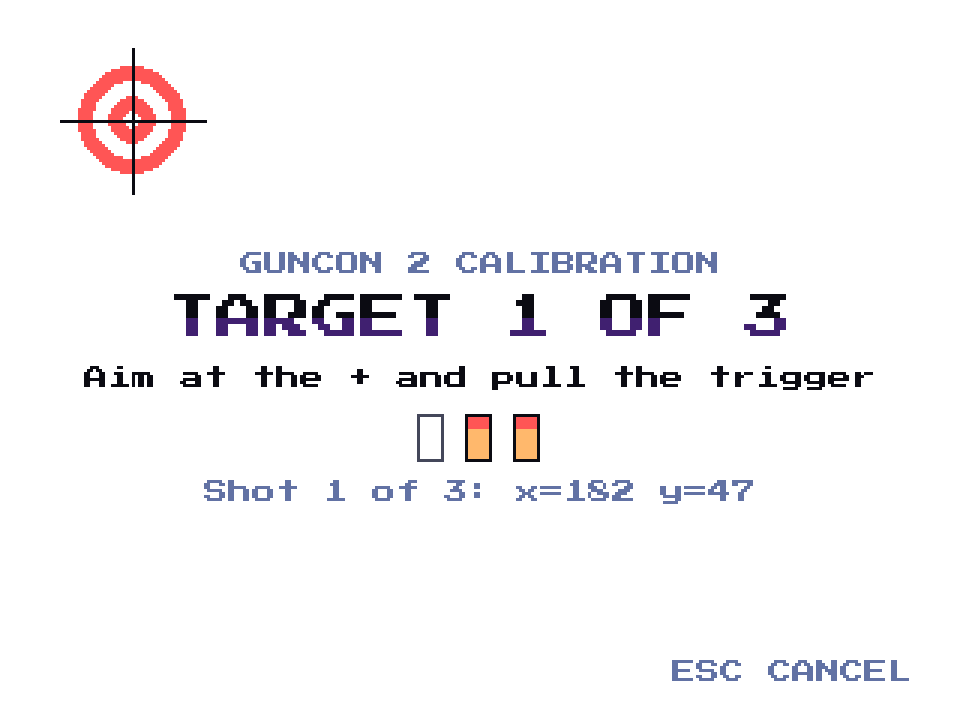
Browsing the listThe joystick moves through the games; button 1 unfolds the clones. The Setup carouselEvery menu turns like an arcade carousel, at 320x240. GunCon 2 calibrationShots at the corners, one in the center, and it is saved. ROM filterGames and size change with every tile you set. Everything about the gamePictures, buttons and history, one push to the right. Colour settingsGamma and colour change on screen as you move them. Main menuBoots straight to 15 kHz. No LCD needed to install. Download BIOSThe BIOS your games lack, each file checked by its hash.
More screens at the end of each page.
features
Everything a cabinet needs, nothing it doesn’t.
A full Linux system tuned for one job: running arcade and console games on a real tube, configured from the cabinet itself.
- CRT and 15 kHzA 6.18 LTS kernel with the 15 kHz patches; boot at 15, 25 or 31 kHz, or on an LCD.
- SwitchresEach game in its own resolution and refresh rate, generated on the fly.
- A frontend of its ownList, full screen and grid, with each game’s video and art fetched by itself.
- FliperOS SetupA menu made for the tube and driven by the panel, from the installation to the last button.
- ROMs, downloads and BIOSFilter a MAME romset for your panel, download only what passes, and the BIOS it needs.
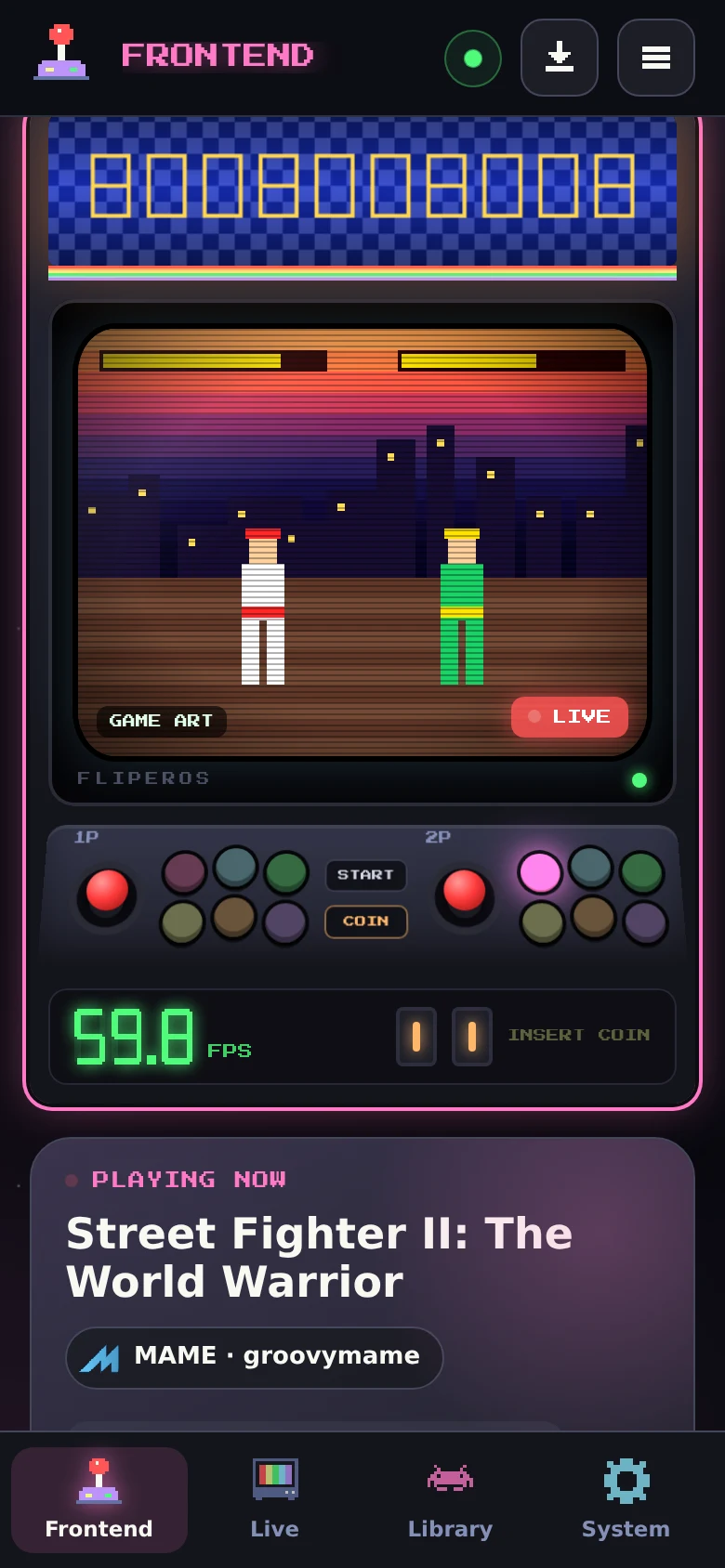
- Web panelPick a game on your phone, watch the cabinet live, put it in OBS.
- Low latencyStandard or Low latency mode: 1000 Hz USB, kernel preemption and frame delay.
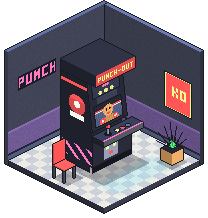
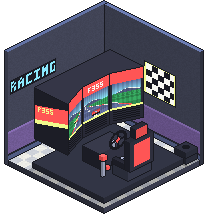
- Two or three monitorsDarius, Punch-Out!! and F355 Challenge with each screen on its own CRT.
- Light gun on the tubeGunCon 2 with its driver built in and a calibration made for the CRT.
- Open over the networkSamba shares for roms, bios and media, and SSH from the first boot.
- Vertical monitorTurn the tube on its side and everything stands upright with it.
- Updates without a new ISOUpdates over the network, and each emulator shows its version.
- Intel HD graphicsA boot entry in 1280x240 progressive, and a red X on what the card can’t run.
- Commercial modeA coin slot on screen, minutes per coin, and the game closes when the time ends.
- Lab modeA temporary internet address to the web panel, for someone helping from far away.
good to know
Before you download.
Free and open source
No account and no fee. The code and every ISO are on GitHub.
The video card matters
AMD Radeon with VGA or DVI-I (HD 2000 to R7/R9 300) makes native 15 kHz. Intel and NVIDIA use super resolutions; an NVIDIA with an analog output can pass a test for native ones. Intel HD works, with limits: install it on a monitor at a standard frequency first, then connect the CRT.
No games, no BIOS
The image ships none. The Setup downloads the BIOS your games need and filters the romsets you bring.
No LCD needed
The USB stick boots at 15 kHz, so you install FliperOS on the tube itself.
An ordinary 64-bit PC
2 cores and 4 GB of RAM play up to PlayStation 1; 4 cores and 16 GB play everything in the image.
Open over the network
Copy games from any PC to \\fliperos\roms. SSH is on from the first boot.
Updates at boot
Updates come over the network and show what they change before asking. No new ISO needed.
Still in development
Version 0.29. Some features, like the vertical monitor and the LED displays, have not been seen on real hardware yet.
open source
Built in the open.
FliperOS is an open-source project. The code, the build scripts, the documentation and the issues all live on GitHub, and every ISO is built from that repository in Docker.
Explore FliperOS on GitHub(opens on GitHub)Questions, photos of your cabinet and help from other users. Every new release is posted there with pictures and how each change works.
Join the Telegram group(opens on GitHub)- Stars
- 14
- Forks
- 1
- Latest release
- 0.29
Contributors
People who helped FliperOS with code, tests on their own hardware or ideas.
faq
Questions people ask first.
What is FliperOS?
FliperOS is a free Linux distribution based on Ubuntu 24.04 (amd64) that turns a PC into an arcade machine for a CRT monitor. It has a 15 kHz kernel, Switchres, GroovyMAME, RetroArch, Flycast, PCSX2, Dolphin and Keisho, a frontend of its own (Attract-Mode Plus, ES-DE and Pegasus are options), a web panel and a setup menu made for the tube.
How is FliperOS different from GroovyArcade, Batocera, Recalbox, ReplayOS and RGB-Pi?
FliperOS is made for a PC (amd64) with a CRT. Like GroovyArcade, it drives a 15 kHz arcade CRT natively from the PC’s video card with Switchres, on top of a regular Ubuntu 24.04. Batocera and Recalbox are general retro-gaming distributions, and ReplayOS and RGB-Pi OS run on the Raspberry Pi. FliperOS also has a web panel to play from a phone, multi-screen games across two or three CRTs and the GunCon 2 light gun out of the box.
Which video cards work at 15 kHz?
AMD Radeon cards with VGA or DVI-I output, from the HD 2000 series to the R7/R9 200 and 300 (GCN 1.0), generate 15 kHz natively. Intel and NVIDIA work at 15 kHz with super resolution modes (an NVIDIA with VGA or DVI-I gets native resolutions if it passes the low resolution test), with an Intel HD you install and set the video on a monitor at a standard frequency first and connect the CRT afterwards, and cards without an analog output need a DisplayPort or HDMI to VGA converter.
Can I control the cabinet from my phone?
Yes. The web panel at http://fliperos.local opens in any browser on the same network: pick a game and it starts on the tube, watch the cabinet live, change colour and other settings while you play, copy games, filter a MAME romset and check the system status.
Can I play party games with GroovyMAME and Flycast?
Yes. FliperOS’s GroovyMAME comes with a lockstep patch: two or more cabinets joined by a network cable share any MAME game, with every player of the game (up to 10), each cabinet on its own controls and with no input delay. Flycast plays Naomi, Naomi 2 and Atomiswave games in parties through GGPO, up to four players on two to four cabinets. Party play also works with RetroArch cores that have net play and with Dolphin, always on the local network, never over the internet.
Is FliperOS free?
Yes. FliperOS is free and open source, on GitHub, and the ISO is downloaded from the GitHub releases. It ships no games and no BIOS; the Setup downloads the BIOS your games need.
support
Professional help and donations.
FliperOS is free and open source. If you need more than the public project, or want to help it keep going, here is how.
Commercial or private system?
I offer consulting and technical support for anyone who wants to build a commercial or private system on top of FliperOS: custom images, cabinets for businesses, specific hardware and installation.
Get in touch by email:
juniorterin @ gmail . com
Donate
FliperOS is made in my spare time. If it helped you, consider a donation to keep the project going.