Skip to content
FliperOS

Share FliperOS

Pick a network and a language. Each text is sized for that network, and you can edit it before posting.

273 of 280 characters

Opens X with the text ready to post.

Texts updated for update 112

hardware

What your PC needs, and what you can plug in.

The minimum and the ideal PC, LED displays for the marquee and open-source hardware you can build yourself. The video cards have a page of their own.

Download(opens on GitHub)

requirements

What your PC needs.

FliperOS runs on an ordinary 64-bit PC. The minimum plays up to PlayStation 1 and most arcade games; the ideal plays everything in the image, PS2, Model 3 and Dreamcast included, in Low latency mode. Sega Chihiro, in xemu, is in the ideal too and is heavy on both the processor and the video card.

Minimum

Standard mode

Up to PlayStation 1 and most arcade games.

CPU
64-bit x86 (amd64) with 2 cores
Memory
4 GB of RAM
Disk
16 GB (HD, SSD or a USB disk)
Video
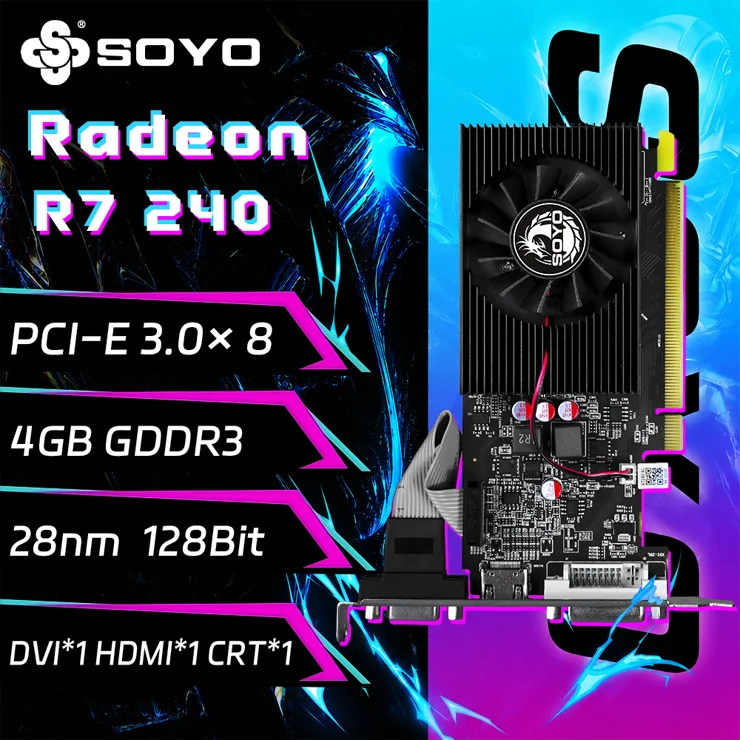
AMD Radeon with VGA or DVI-I, from the HD 2000 to the R7/R9 200 and 300 (GCN 1.0), for native 15 kHz. Intel and NVIDIA work at 15 kHz with super resolutions; an NVIDIA with VGA or DVI-I can pass a test for native ones.
Monitor
A 15 kHz arcade CRT, a 25 or 31 kHz monitor, or an LCD
Boot
BIOS or UEFI with Secure Boot off; a USB stick for the ISO
Network
Optional: Ethernet or Wi-Fi for the web panel, scraper, downloads and updates

Ideal

Everything, in Low latency

Every emulator in the image, PS2, Model 3 and Dreamcast included, with Low latency mode, and Sega Chihiro in xemu, which installs later.

CPU
4 physical cores with AVX2, single-thread PassMark 2000 or more (Core i7-7700, Ryzen 5 3600 or newer). Sega Chihiro leans on one fast core: on a Core i7 870 Virtua Cop 3 opens, but not at full speed.
Memory
16 GB of RAM (Sega Chihiro asks for about 3 GB free just to prepare each game)
Disk
SSD
Video
AMD GCN 1.0 or 1.1 with VGA or DVI-I (HD 7000, R7/R9 200 and 300, like the R7 240): radeon or amdgpu, with Vulkan. Sega Chihiro needs OpenGL 4.0 or Vulkan and runs on Vulkan on amdgpu: on the R7 240 OpenGL hangs the card, and a GPU with only OpenGL 2.1 (Intel Ironlake) cannot open xemu.
Monitor
A 15 kHz arcade CRT; two or three for the multi-screen games
Boot
BIOS or UEFI with Secure Boot off
Network
Ethernet: the live screen with sound in the web panel

Where it is tested: FliperOS is developed on a cabinet with an Intel Core i7 870, 6 GB of RAM, a Radeon R7 240 on VGA at 15 kHz and an SSD, an older machine than the ideal one. Sega Chihiro opens on it, in Vulkan, but not at full speed yet.

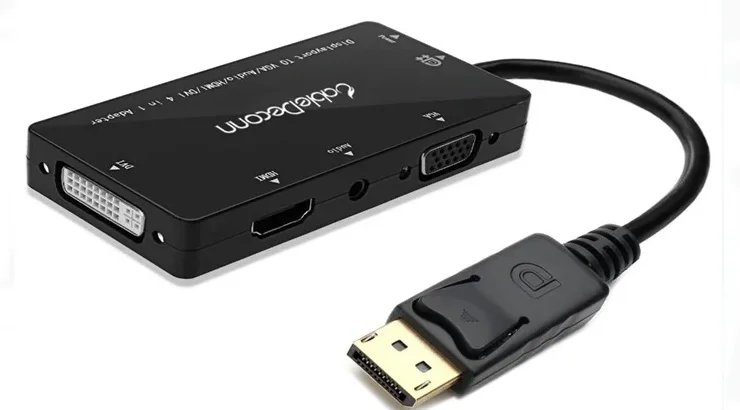
On a CRT the video card matters little: at 240 lines even the R7 240 is above what PCSX2 asks for (Sega Chihiro runs at 640x480 and asks for more). Cards without an analog output need a DisplayPort or HDMI to VGA converter. Setup > System > Latency > Check this computer compares your PC with these numbers.

Recommended hardware, in the documentation(opens on GitHub)
Black CableDeconn adapter with a cable and DisplayPort plug, and VGA, audio, HDMI and DVI outputs.

A card with digital outputs only? A converter that works

This adapter plugs into the card's DisplayPort and gives you VGA. Its input is DisplayPort only: a card that only has HDMI needs an HDMI to VGA converter. The GroovyArcade community reports that DisplayPort often gives native resolutions, but mode switches are slower, interlaced modes often fail and its VGA connector is fragile.

Tested on a Ryzen 5 5600GT with this kind of adapter: native modes from 224 to 640 pixels wide, and from 712 up, showed on the tube, and so did 1280x480 interlaced. Modes between about 13 and 14.4 MHz (672 to 704 wide) gave no signal. At install, press ENTER on the output you can see, validate the test and pick your CRT in Monitor Type: the adapter looks like an LCD to the Setup, and your answer is what makes it boot at 15 kHz.
A tube TV with component input? The RGB-80 board

Art Repair 80, a Brazilian vintage games and parts repair shop, sells the RGB-80, a small board that takes the VGA output of a PC and gives component video for a CRT TV. Its flyer, "Want a fliperama at home for those incredible moments with family and friends?", describes the build:

  1. A PC with a VGA video card.
  2. A tube TV with component video input.
  3. An RGB-80 board.

Games at their native resolution, "as only a tube TV can show". It comes with a leaflet of instructions.

Tested with FliperOS and it works; the description above is from the seller's flyer.

Questions, from the seller:

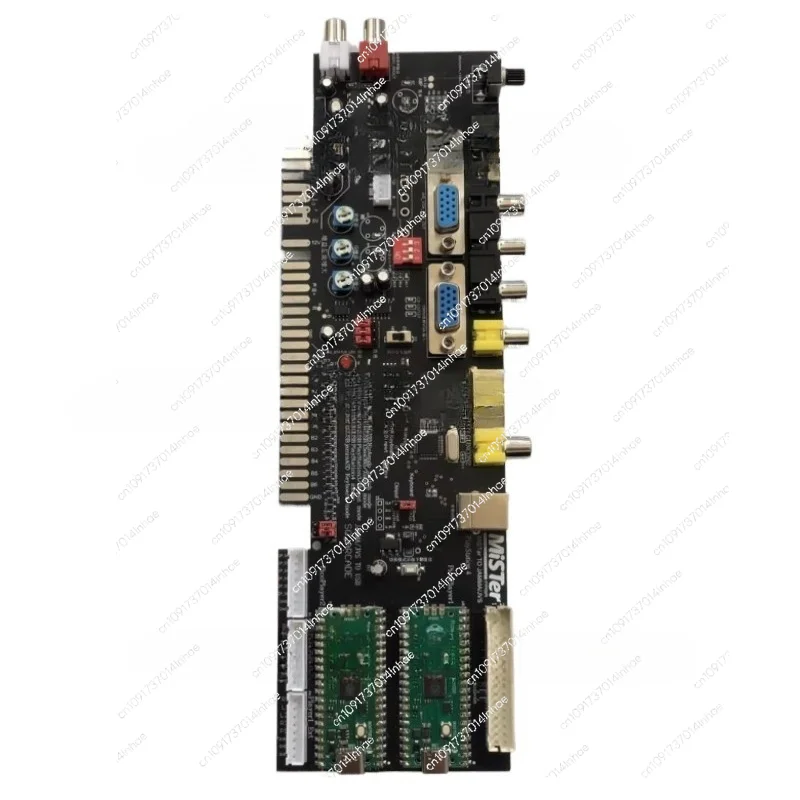
A long black board with a JAMMA edge connector, two VGA connectors, RCA and BNC video jacks, audio jacks and two small USB boards.

A PC to JAMMA board for a cabinet harness

Sold on AliExpress as "PC to JAMMA / JVS board for arcade games": a long board with the JAMMA edge connector, VGA and RCA video outputs and audio outputs, to connect a PC to the wiring of an arcade cabinet.

Tested with FliperOS and it works; the description above is from the listing.

See it on AliExpress(opens on GitHub)

zedmd and pixelcade

A display that knows what you are playing.

FliperOS works with two LED displays: ZeDMD, an open-source project you build with an ESP32 and LED panels, and Pixelcade’s LED and LCD marquees, which come ready-made. Both get the same events: the game selected in ES-DE or Attract-Mode Plus, the game started from any frontend or straight from an emulator, the high scores, the achievements and, in fighting games, the score of the match-up. Install from the Setup and plug into USB; you can use both together. Support is new and has not been seen on a real display yet.

Simulation: 128×32 LED display (two 64×32 panels), ZeDMD or Pixelcade
  • ZeDMD: build your own

    An ESP32 and HUB75 LED panels, 128×32 or 256×64. FliperOS draws every frame itself, with the marquee art of your own collection.

  • Scoreboard mode

    In fighting games the display becomes a scoreboard: the two characters and each side’s wins in the session, fixed on the ZeDMD and as text on Pixelcade. About 200 arcade games in GroovyMAME and 100 in RetroArch’s FBNeo core, through Fightcade’s detectors.

  • Install from the Setup

    Setup > Games > Extras > ZeDMD or Pixelcade downloads the display’s program and turns on the service, the ES-DE scripts and the Attract-Mode Plus plugin.

  • Follows the menu

    In ES-DE and Attract-Mode Plus the display changes as you move through systems and games.

  • Every launcher

    GroovyMAME, RetroArch, Flycast, Keisho, Dolphin and the other emulators update the display when the game starts, whatever frontend opened it.

  • Plug and play

    Plug the display into USB and the service starts by itself. With no display connected it gives up after a few tries and stays out of the way.

  • High scores at launch

    For arcade games, the top three high scores scroll across the display when the game starts. For other games, its name. Then the game’s artwork stays.

  • Screensaver

    When the ES-DE or Attract-Mode Plus screensaver starts, the display goes into attract mode. When it ends, the selected game comes back.

  • Achievements

    With RetroAchievements turned on in RetroArch, each achievement you unlock shows on the display right away.

  • In-game effects

    On Pixelcade, the DOFLinx extra shows the points and effects while you play FBNeo arcade games.

Panel sizes

ZeDMD (open source)

128×32 or 256×64 LEDs

You pick the HUB75 panels: the size comes from the LED pitch. The firmware is flashed onto an ESP32, and the display plugs into USB. Use firmware 5.1 or newer: older ones, like those that work on Batocera 41, don’t connect.

  • ZeDMD: 2 × 64×32
  • ZeDMD HD: 2 × 128×64
  • ESP32 or ESP32-S3

Pixelcade LED marquee

128×32 LEDs

Two 64×32 LED panels side by side; a single 64×32 panel also works. The size depends on the LED pitch, from a pinball DMD to a jumbo marquee.

  • 12.5″ × 3.1″ (P2.5)
  • 15″ × 3.8″ (P3)
  • 20″ × 5″ (P4)
  • 25″ × 6.2″ (P5)
  • 30.2″ × 7.5″ (P6)
  • 38.4″ × 9.6″ (P7.62)

LCD marquee (Super Pixelcade)

1920×360

A stretched LCD that shows the full-color marquee art of each game.

  • 24″ (24.1″ × 5.2″)
  • 28″ (28.7″ × 6.2″)

ZeDMD is an open-source project of its own authors. Pixelcade is a product of its own makers, sold separately. FliperOS is not affiliated with either and downloads each one’s software from its official repository. Game names and logos belong to their owners; the emblem in the simulation is an original drawing.

open hardware

Build it yourself, with open projects.

A marquee, a control panel, a light gun or button lights don’t have to be a product you buy. FliperOS also works with open-source projects you build with an Arduino, a Raspberry Pi Pico or an ESP32. This support is new and still being tested on real hardware.

  • LED display

    ESP32 or Pico + LED panels

    A ZeDMD shows the selected game, the game that is open, its high scores and achievements, like the Pixelcade marquee, with artwork from your own collection. Setup > Games > Extras installs the support.

  • Light gun

    Raspberry Pi Pico + IR camera

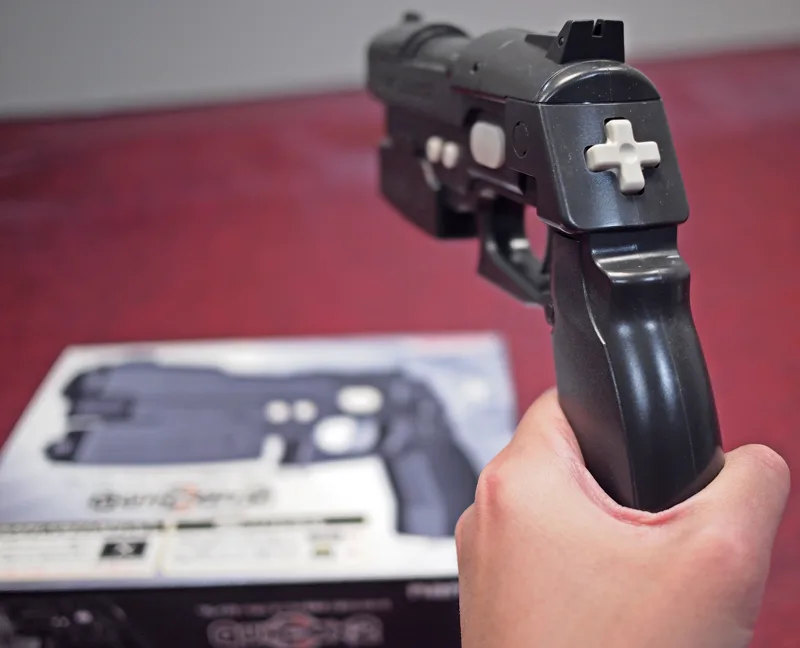
    An OpenFIRE gun aims with an infrared camera and LEDs around the screen, so it works on any monitor, with recoil. The GunCon 2, which reads the tube itself, already has its driver and calibration built in.

  • Recoil, lamps and motors

    Serial and USB HID boards

    GroovyMAME, Flycast and Keisho publish what each game drives outside the screen. Hook Of The Reaper, the successor of MAMEHooker, takes it to light guns and to your own boards. It is a Windows program, run through Wine. QMamehook does the same for serial light guns, natively on Linux.

  • Button lights

    Ultimarc, LED-Wiz, Howler, Adalight

    LEDSpicer lights the buttons each game uses and plays light animations on the cabinet. FliperOS installs it and tells it which game opened and when it closed.

  • Cartridge reader

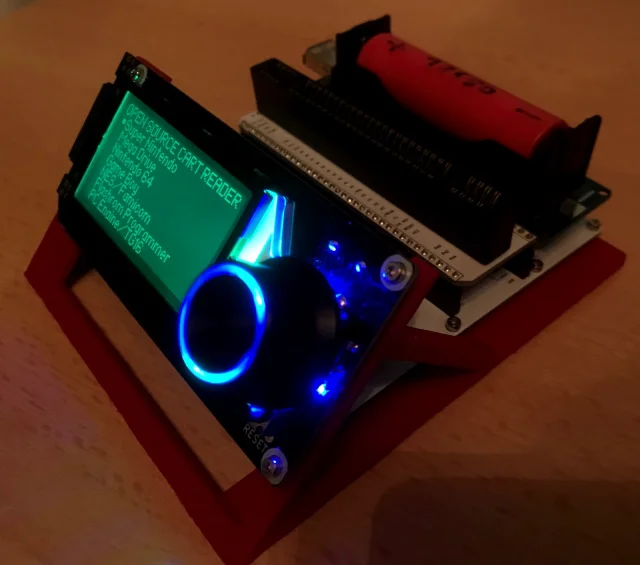
    Open Source Cartridge Reader HW5

    sanni’s open cartridge reader dumps Super Nintendo, Mega Drive, Nintendo 64, Game Boy and Game Boy Advance carts. With the FliperOS firmware patch, installed from Setup > System, the frontend reads the cart over USB and plays it or saves it to the right folder.

A black GunCon 2 held in a hand, seen from behind, with the white d-pad on its back and its box in the background.
Photo: Chinpokomon5, CC BY-SA 3.0, Wikimedia Commons

GunCon 2: the gun that reads the tube

Namco’s PlayStation 2 light gun, over USB. It aims by the CRT’s beam, the screen FliperOS is made for; on an LCD it doesn’t hit. Its driver ships with the system, with nothing to install.

Calibrate it once in Setup > Joysticks > GunCon 2, with a few shots at the corners of your monitor. The calibration comes back every time the gun is plugged in.

An Open Source Cartridge Reader HW5 built in a red frame, its green screen lit with the list of systems and its rotary knob glowing blue.
Photo: Open Source Cartridge Reader wiki (CC0)

Open Source Cartridge Reader HW5

sanni’s open cartridge reader dumps Super Nintendo, Mega Drive, Nintendo 64, Game Boy, Game Boy Advance and other cartridges. Build your own from the project’s files or buy one ready-made.

Setup > System > Cartridge reader flashes it with FliperOS’s patched firmware. From then on the frontend reads the cartridge over USB and plays the game or saves it to the right folder.

Each project belongs to its own authors. FliperOS only installs or talks to them; the links go to each project’s page.

Read the DIY hardware guide(opens on GitHub)